

Jenkins
Will you Lose Team Members to Jenkins?

Jenkins is free—until it starts costing you your developers.
It usually starts with one team member setting it up for the team. Before long, they become the Jenkins person, handling everything from builds to deployments. Now, instead of writing code or solving bigger problems, they’re buried in plugin configs and pipeline scripts. Sound familiar?
In this article, I’ll talk about how easy it is to fall into this trap, why relying too much on Jenkins can quietly drain your team, and how pairing it with a tool like BuildMaster can help you fix the mess without tossing Jenkins out completely.
Is Jenkins really free if it costs human resources?
I see this all the time: a new, eager developer joins a small DevOps team and sets up Jenkins to be helpful. A few hours in, they’ve got it running and the team’s using it. But before long, they’re the only one setting up new projects—and just like that, they’ve become the “Jenkins Person”.
But there’s a catch. Seemingly normal Jenkins work has become their main work and they are now the “Jenkins Expert.” The team will start relying on Jenkins – and that fresh, eager developer – to do everything from basic operation jobs to continuous delivery (CD). They’ve effectively been lost to Jenkins.

Without anyone noticing, it’s easy for a team member to be designated the go-to person for a program, causing a bottleneck. One person will be stuck working only on Jenkins. The team will lose a member or will be forced to hire a full-time Jenkins expert to create, manage, and maintain projects and pipelines. The ‘free’ Jenkin’s tool just cost the company one developer.

“Jenkins Experts” are hidden costs
Hiring engineers, and keeping them, is incredibly costly. It’s much harder if that person must be a Jenkins expert since Jenkins expertise requires such niche skills:
- Choosing the best plugins
- Developing pipelines
- Managing and organizing projects
- Creating reports and visibility for other users
- Writing in Groovy
Software developers cost companies an average of $100,000 per year. That’s a lot to spend on someone to channel all their talents and time into a free tool. To counteract this, many teams try to distribute the work of managing Jenkins through “self-service,” and let different team members manage their Jenkins instances. But this can cause problems too.
‘Who did what when,’ will be an endlessly repeating issue without a proper log of all user activities. If someone changes, removes or adds a plugin, it’s possible the whole project will fail. Not to mention freely allowing anyone to add plugins introduces huge vulnerabilities or even malware into your Jenkins Installation.
Don’t lose any more developers. Use BuildMaster
So what’s the solution to all this? Why bother with Jenkins at all if I insist on its many issues? I want to stress: Don’t dump Jenkins! Replacing it entirely would cost too much, and your team already knows Jenkins.
Instead, combine it with a dedicated tool like BuildMaster that will fix your Jenkins problems while giving you better CI/CD overall. Using a tool that integrates and works well with Jenkins is going to be your best bet for breaking out of Jenkins chaos. Jenkins plus BuildMaster will eliminate bottlenecks since deployment plans can instruct BuildMaster exactly how to deploy your build and perform any other needed tasks during a release.
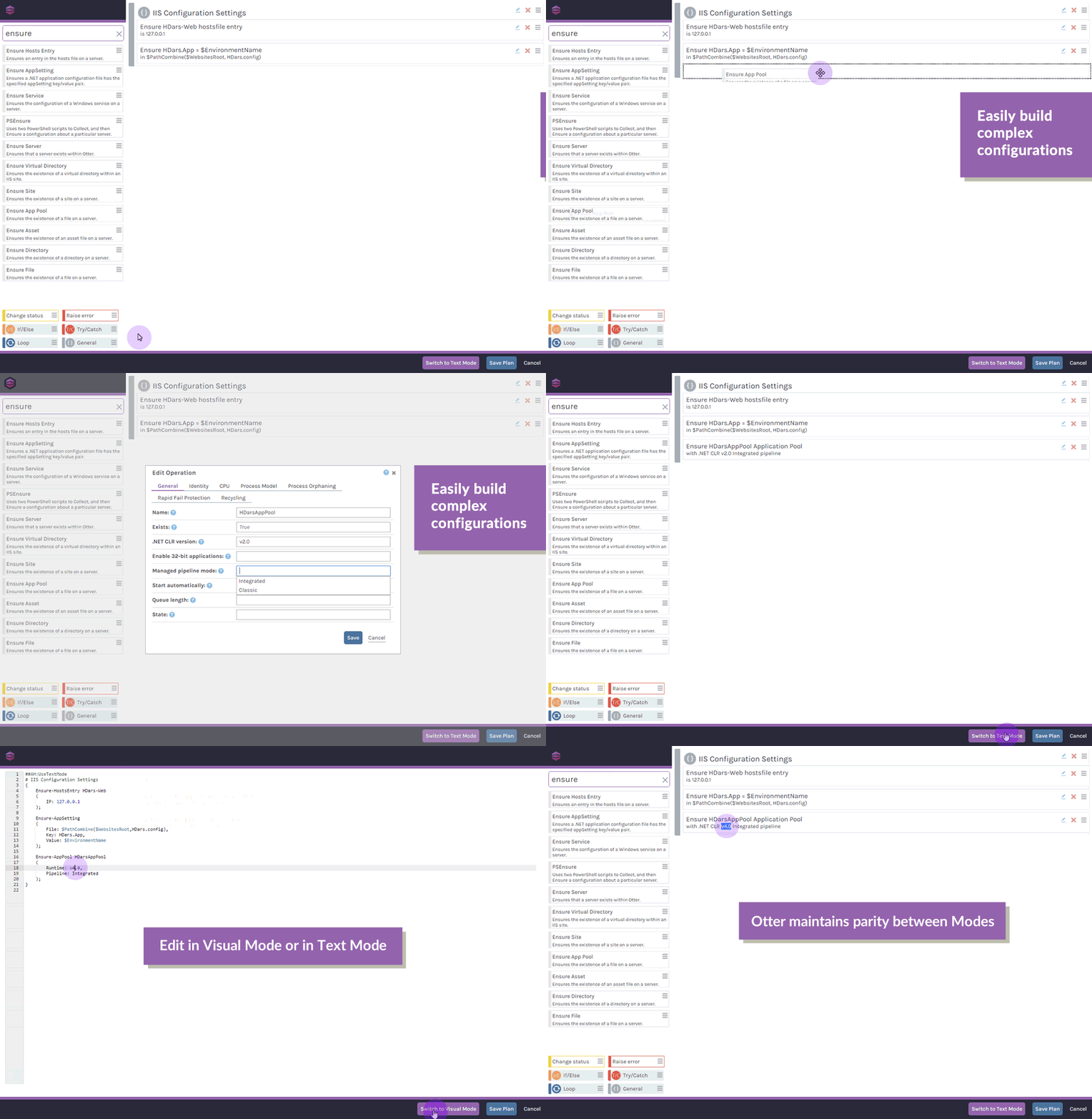
BuildMaster adds security to Jenkins and makes it easy to set up builds and automated tests without the effort of retraining users. Not to mention its straightforward user interface allows junior members to switch between the drag-and-drop visual editor or text mode. This will allow trainees to get a feel for the syntax and structure of the language pretty quickly, and master it in no time.
For a full rundown of integrating BuildMaster and Jenkins, check out our Docs page or download our Free Forever version and try it out for yourself.
You’ll definitely want to come back and reference this later, so I recommend bookmarking this page! Or better yet, check out our free eBook, Level Up Your CI/CD with Jenkins. It’s got everything you’ve learned here, plus running parameterized PowerShell scripts, build automation, and some extra tips to help you maximize your Jenkins setup!
