

ProGet Migration
How to Self Manage Your ProGet Instance for Sonatype Users
This article is part of a series on Migrating from Sonatype to ProGet, also available as a chapter in our free downloadable eBook.
Self-managing your package repository should be simple, but when solutions like the Sonatype Platform split features across multiple products and interfaces, things can get complex.
ProGet takes a different approach, bringing everything together in a single, self-managed instance that’s easy to maintain and use. Whether you’re running on Windows or Linux, you can install and run ProGet the same way.
To get your migration from Sonatype started, the first step is to set up your ProGet instance. In this article, we’ll look at how to set up ProGet on a single server, which includes all features, as well as a High Availability Cluster. Finally, we’ll go over how to maintain your ProGet instance and keep things up to date and running smoothly.
Setting up ProGet on a Single Server
Start by using the same hardware specs as your Sonatype instance. Adjustments to lower specs can be made afterwards. On Windows, the easiest way to install is through Inedo Hub, which guides you through setup in just a few clicks.
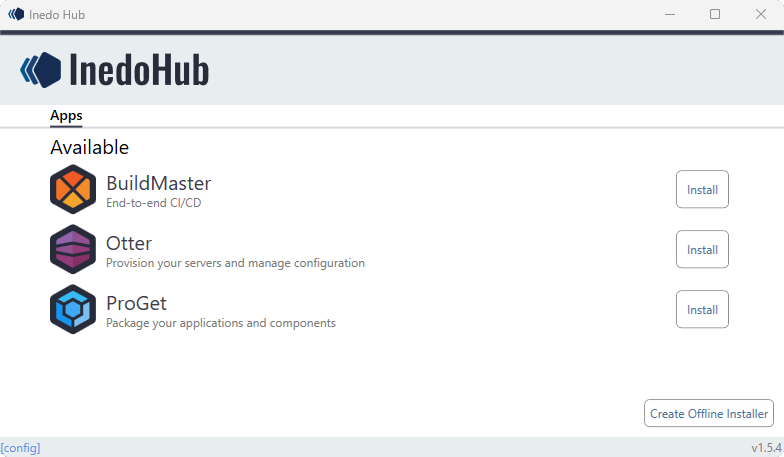
On Linux, you can use Docker to install ProGet as a container image. If you’d rather automate the setup, ProGet also supports silent/script-based installation.
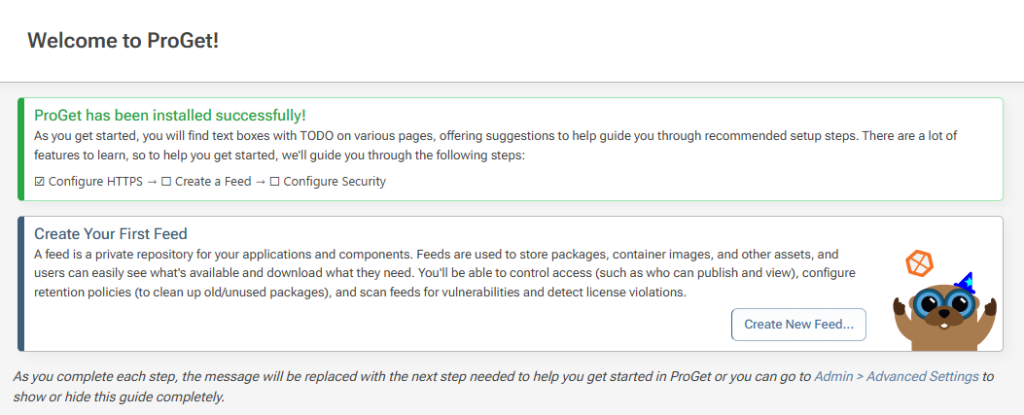
Once installed, an onboarding wizard will walk you through the initial setup. You can also find plenty of guides and videos in our ProGet docs.
Setting up ProGet on High Availability Cluster
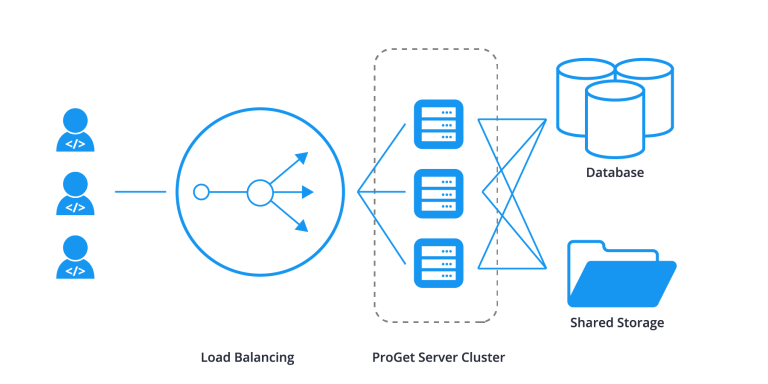
Setting up ProGet in a High Availability Cluster works a lot like the single-node setup, adding a few extra components.
For High Availability, you’ll need:
⚙️ Load Balancer
⚙️ Shared Storage
⚙️ Shared Database
⚙️ Encryption Key & Settings
Maintaining Your ProGet Instance
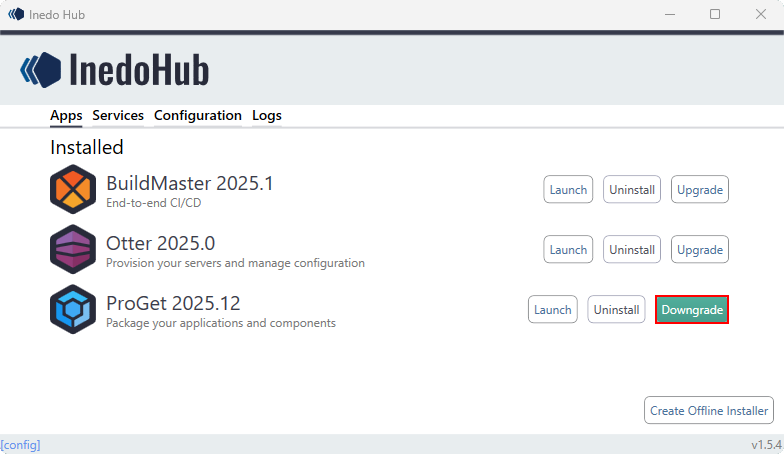
Keeping your ProGet instance up to date and running smoothly is easy. On Windows, upgrades are done through InedoHub. It will automatically upgrade without needing restarts or extra steps.

On Linux or Docker, upgrades are done using simple scripts.
If you ever need to roll back or downgrade, ProGet makes that just as simple through InedoHub. There’s no need for data dumps like you’d have to do with Sonatype, ProGet will keep your configurations and packages intact.
Set up ProGet in Just Minutes
ProGet keeps things simple when it comes to self-managing. Instead of juggling multiple tools like you do with Sonatype, you get everything in one platform. Setup is quick and easy through InedoHub on Windows or Docker on Linux.
Whether you’re running a single server or high availability cluster, ProGet is built to support your environment.
Want to dive deeper? This article is just a taste of what’s in our eBook, “Migrating from Sonatype to ProGet“. Inside, you’ll find guidance on setting up repositories, blocking packages, managing SBOMs, and much more. Reserve your free copy today!
