

ProGet Migration
How to Manage Repositories in ProGet for Artifactory Users
This article is part of a series on Migrating from Artifactory to ProGet, also available as an eBook.
Planning to migrate your package repositories from Artifactory to ProGet? It’s actually pretty straightforward, but different enough that you need to know how to go about it to avoid any issues.
Like Artifactory, ProGet also has repositories, called feeds. Instead of different repository types (local, remote, etc), ProGet has just one, configured based on your needs.
In this article, we’ll look at how feeds work in ProGet, and how to configure them just like your Artifactory repositories.
“Repositories” in ProGet
In ProGet, package repositories are called feeds, used to host package types like NuGet, npm, or Pypi. Unlike Artifactory, ProGet doesn’t configure feeds like “local”, “remote” or “virtual”. Instead, they are configured depending on what you need them to do, like host local binaries, or proxy external repositories.
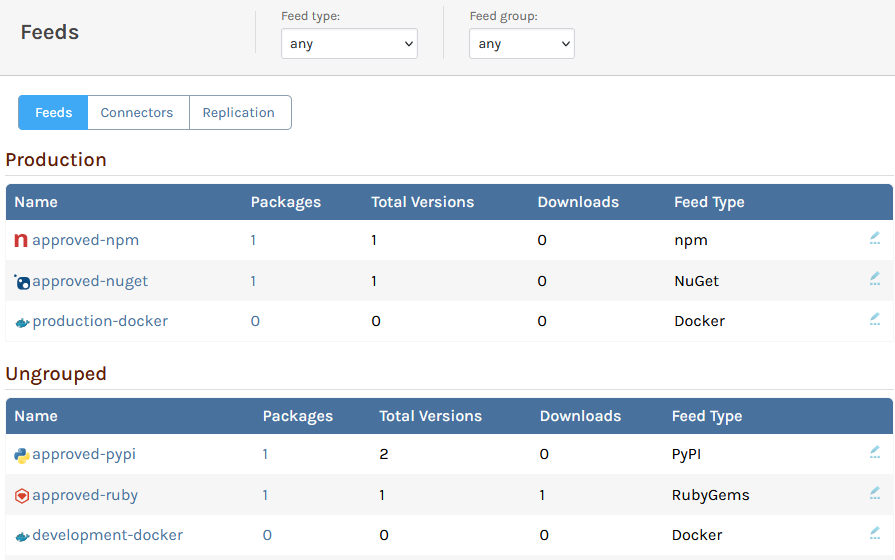
For example, instead of having a “Remote Repository” used to proxy packages from nuget.org You’ll simply create a ProGet feed, and configure it with a Connector that will proxy NuGet packages.
ProGet Connectors
In ProGet, “Connectors” let you proxy packages from other sources. These can include:
- Other ProGet feeds in your instance
- Open source galleries like nuget.org or npmjs.org
- External package repositories

In Artifactory, you would “Push” to a “Local Repository” you create, and “Pull” from a “Virtual Repository” that combines the local with a “Remote Repository” that connects to a public gallery like nuget.org.
However, by setting up Connectors in ProGet, instead of needing to set up several repositories, everything can be accomplished within a single feed.
When setting up a new ProGet feed, you can set it to include packages from an external source:

Once set up, you’ll immediately be able to see a list of available proxy packages from the configured source.

Using connectors makes your feeds more versatile and easier to set up. They also cover all feed types that you’d find in Artifactory.
| Artifactory | ProGet |
| Local Repository | Feed with no Connectors |
| Remote Repository | Feed with Connector to another Repository |
| Virtual Repository | Feed with Connectors to multiple Repositories |
| Smart Repository | Feed with Connector to another ProGet Feed |
| Federated Repository | Feed with Replication |
Other Artifactory Repository Types in ProGet
ProGet also offers alternatives to other Artifactory repository types, like “Release Bundle Repositories” and “Generic Repositories”.
Release Bundle Repositories
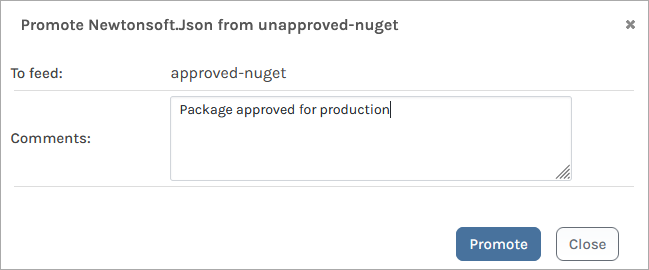
Suppose you’re already using Artifactory’s “Release Bundle Repositories” to securely store artifacts. In ProGet, you can set feeds with permissions, so only authorized users can access packages in these feeds.
You can then use “Package Promotion” to copy packages that you don’t want edited or removed from other feeds.
Generic Repositories
Much like how “Generic Repositories” in Artifactory let you store files of any type, ProGet’s “Asset Directories” serve the same purpose. You can even use ProGet’s API to manage these files easily.
ProGet also lets you create “Universal Packages” to package applications and components directly, which you can then deploy uniformly across different environments
ProGet Feeds as your Package Repositories
Like Artifactory, ProGet’s repositories called “Feeds” can be set up to host local packages or proxy from other feeds, external repositories, and open-source galleries by setting up “Connectors”.
You can also keep your artifacts secure through “package promotion”, and use Asset Directories and Universal Packages to store your other file types.
This article is part of our eBook on Migrating from Artifactory to ProGet, walking you through everything from setting up repositories to managing your vulnerabilities, licenses and much more. Download your free copy of “Migrating from Artifactory to ProGet” today!
