

NPM
Why You Should Create a Package Approval Workflow for npm Packages with ProGet
Your development team pulls a package from a ProGet feed connected to npmjs.org. It seems pretty straightforward and routine, until you later discover the package contains known vulnerabilities, leaking sensitive user data. OSS registries can be unpredictable: some packages are reliable, others… not so much. Without proper oversight, risky packages can easily make their way into your codebase.
ProGet offers a way around this by letting you set up a package approval workflow, helping to improve oversight and security by making sure your team only uses stuff that’s been reviewed and approved for production. It helps keep things organized and in compliance.
In this article, we’ll break down the risks of unvetted packages and why creating a package approval workflow with ProGet can help prevent oversight issues and security risks.
The Risk of Using Unvetted Packages
Using npm packages in your development? Since pretty much anyone can publish a package to npmjs.org there’s no real way that they are vetted or endorsed. This opens the door to all kinds of problems:
⚠ Security Risks and Vulnerabilities: Npm packages can contain vulnerabilities, and some may even have malicious code. High-profile packages like lodash have had known issues, and there have even been cases where multiple popular JavaScript libraries were compromised with malicious code aimed at stealing cryptocurrency. Without proper vetting, you’re risking your users’ data, your project’s integrity, and your peace of mind.
⚠ Unwanted Licenses: Almost every npm package ships with its own legal baggage. Licenses like GPL-3 can seriously restrict how you use or share your software. If they clash with your project’s license or business model, you could land in legal trouble – just look up the Artifex vs. Hancom case. It’s super important to get what these terms mean and make sure they align with your goals.
⚠ Low-Quality Packages: Npm has millions of packages, but not all of them are production-ready gems. Some are abandoned, buggy, or just poorly maintained. Remember the chaos when left-pad was yanked from the registry? That kind of thing can still happen. A single low-quality package can cost you hours—or even days of debugging and lost productivity.
To avoid these issues, ProGet lets you set up a package approval workflow that ensures only approved packages make it into your projects. “Approved” means they have no major security risks, acceptable license agreements and production-ready quality.

Why You Should Create a Package Approval Workflow in ProGet
Creating a package approval workflow with ProGet helps ensure only trusted, production-ready packages are used, enhancing both security and compliance. Think of this like code review, but for npm packages. Just as code must be reviewed before it’s merged, packages from public sources like npmjs.org should be vetted before production use.
A package approval workflow helps enforce this by using two feeds: one for unapproved packages and another for approved ones. Packages are proxied to the unapproved feed where you can vet them for safety, license compliance, and quality. If they look good, you can promote them to the approved feed – the only place developers can access. This ensures only safe, reliable packages make it into your production code.
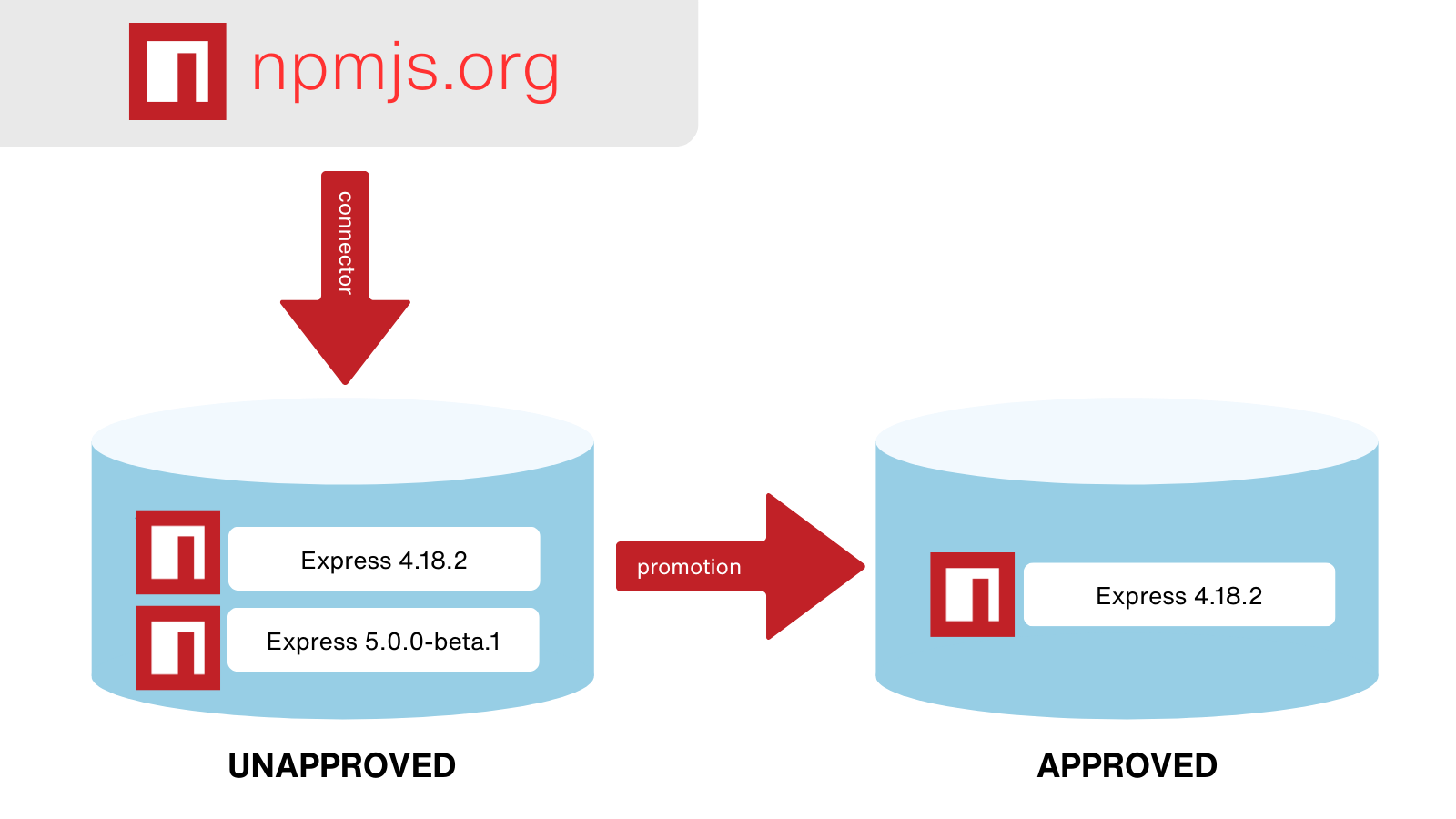
The best part? ProGet can automate compliance assessments, making the approval process simpler for you! It’s easy to set up – let’s take a look.
Setting up a Package Approval Flow in ProGet
To get a package approval flow up and running, you’ll need to create two npm feeds—one for unapproved packages and another for promoted, approved packages. Start by going to the feeds page and creating a new feed.
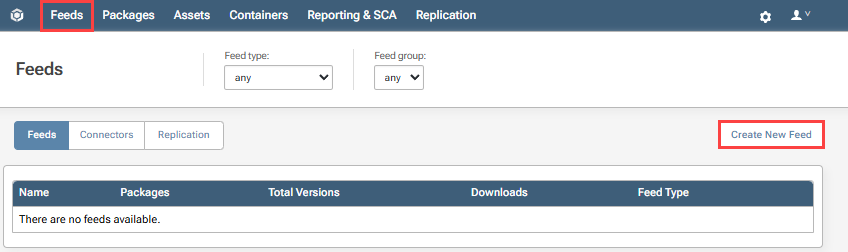
You’ll want to connect the unapproved feed to npmjs.org. This will proxy OSS npm packages directly from npmjs.org:
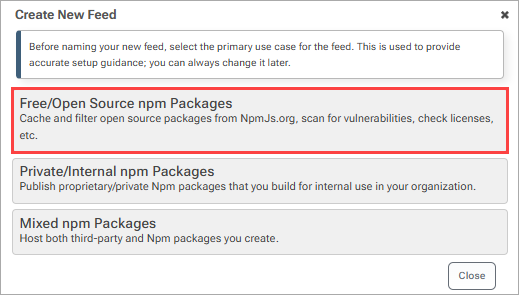
Once that’s set, create an approved feed, so you’ll be able to promote vetted packages from one feed to the other.
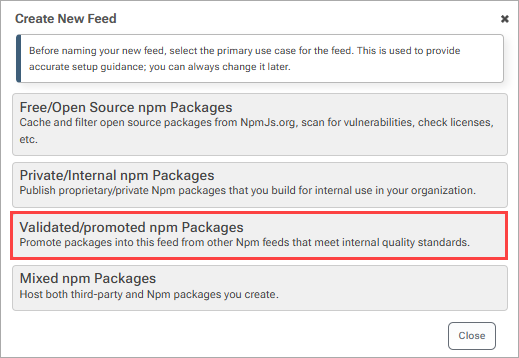
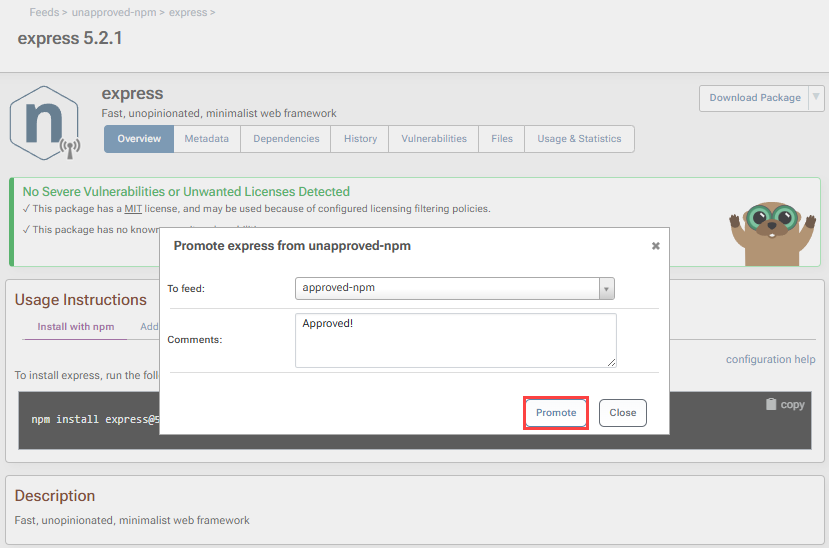
After approving a package as safe for production, you can move it to the approved feed by going to the package page and promoting it. Now, the package will be in the approved feed, ready for developers to download and use. You’ll also need to set up permissions to make sure that your developers can only access the approved feed.
Package Approval Flows to Keep Development Safe and Compliant
Without any oversight of the npm packages your team is using, you could run into security risks, licensing trouble, and low-quality code.
Setting up a package approval workflow in ProGet can get around these problems by making sure that your developers are only using packages you’ve approved as safe for production, a smart move to keep your projects secure and compliant.
This was a lot of information, and I definitely recommend you to keep a note of it somewhere! Better yet, why not check out our free eBook, Mastering npm in the Enterprise? It contains everything on this page, and covers more on handling npm packages and development in your organization.
